Always the best mic.
Automatically.
Pair a wireless headset with a desk mic and Infernos Smart Mic Switcher hands off seamlessly with sub-15 ms latency. The moment you speak, your priority mic takes over — Discord, Zoom, OBS and your games always hear your good mic.
v0.1.0 · Windows 10/11 · No account needed
Watch it switch
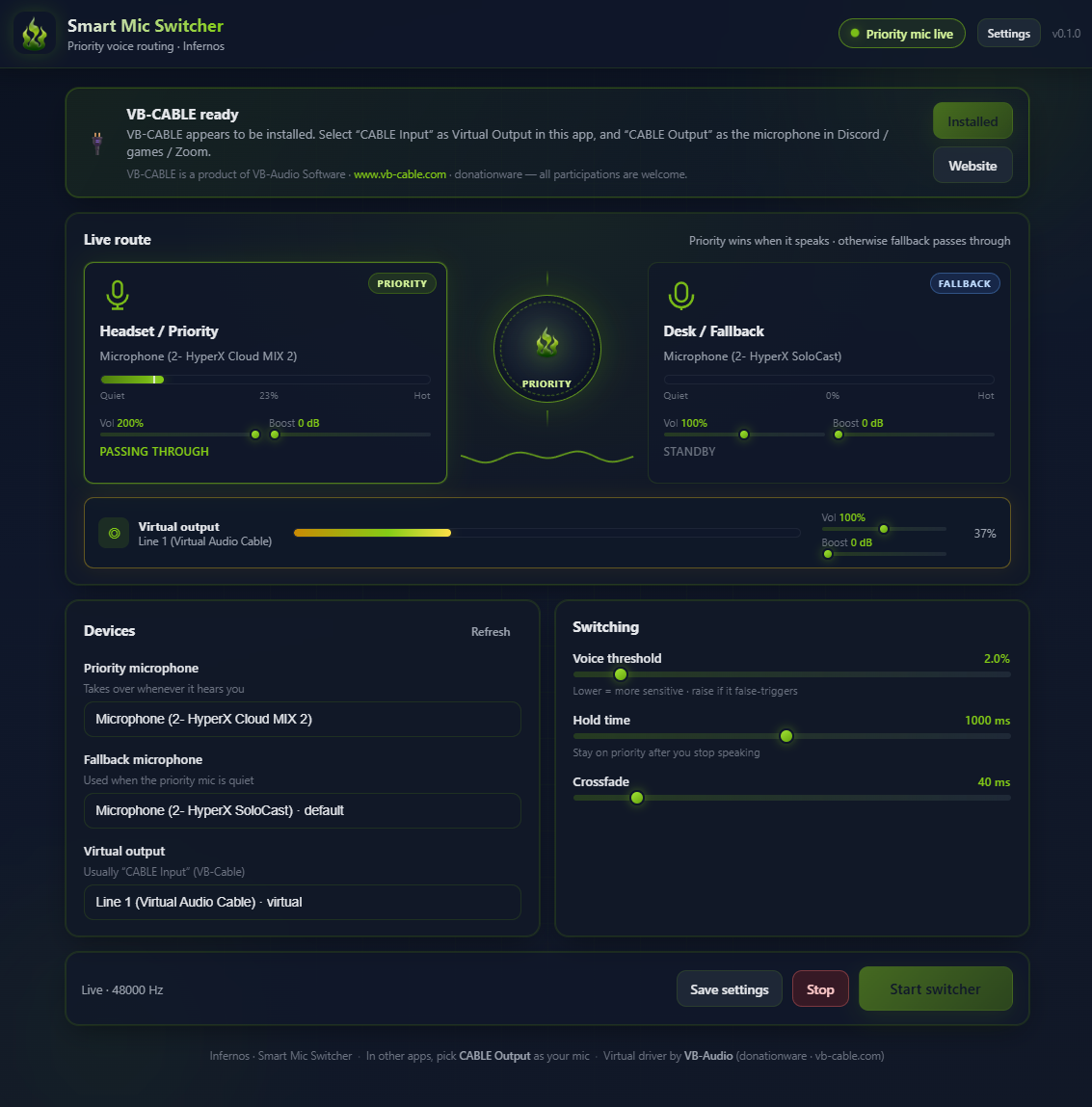
Three states, one app. It watches your priority mic and routes the right source without you touching a thing.
Built for people with more than one mic
Everything you need to stop fumbling with input settings mid-call.
Ultra-low latency
The Rust audio engine requests the smallest hardware buffer your device supports, pins all streams to 48 kHz to eliminate sample-rate conversion, and uses batch SIMD-friendly ring reads — giving you sub-10 ms end-to-end latency out of the box.
Smart voice gate
An energy-based gate listens to your priority mic. The moment you speak, it routes that mic through — no button to press, no hotkey to remember.
Seamless hand-off
When the priority mic goes quiet, audio falls back to your secondary mic with a short crossfade. No pops, no clicks, no dead air on stream.
Per-mic control
Independent volume and gain for each mic plus output gain into the cable. Tune a hot desk mic and a quiet headset to sit at the same level.
One virtual input
Everything is mixed into a single virtual device. Point Discord, Zoom, OBS, Teams and every game at that one input and forget about it.
Private & local
The audio engine runs entirely on your PC. Nothing is uploaded, nothing is sent to the cloud. Your voice never leaves your machine.
Tray control
Close the window and it hides to the tray. A live indicator shows which mic is live; right-click to quit. Optional Windows auto-start.
Ultra-low latency by default
The Rust engine is optimised for real-time audio — not "real-time-ish".
Previously, default WASAPI buffers, mismatched sample rates and per-sample ring reads added 150 – 550 ms of delay. Now the engine explicitly requests the minimum hardware buffer, forces a shared 48 kHz sample rate across all three streams, and uses two-segment batch copies with SIMD-friendly access patterns — so your voice arrives in Discord, OBS or your game in under 15 ms.
Real setups it just fixes
If you have ever wished your PC would pick the right mic for you, this is it.
Wireless headset + desk mic
Your desk mic sounds better, but you want to walk away from the desk. Put the headset as priority near your chair and the desk mic as fallback — walk off and it keeps you on mic.
Studio mic + webcam mic
A condenser for seated streaming, a webcam mic for quick calls. The switcher keeps the studio live while you are at the desk and falls back gracefully the rest of the time.
Quiet desk, loud room
Set a higher voice threshold so keyboard clatter on the fallback never reaches your stream — only real speech on the priority mic gets through.
Up and running in three steps
Download & install
Grab the Windows installer below. It bundles the official VB-CABLE virtual driver — one reboot and you are set.
Pick your mics
Choose a priority mic and a fallback mic, then point the virtual cable at Discord, Zoom or OBS.
Forget about it
Hit Start. The switcher watches your priority mic and hands off automatically for the rest of the session.
Get Infernos Smart Mic Switcher
Free for Windows. Includes the VB-CABLE virtual driver. No account, no telemetry, no nonsense.
Version 0.1.0 · Windows 10 & 11 · ~25 MB installer
⚠️ Currently in beta — may contain bugs. Please report issues on Discord or GitHub.
Questions
Is it really free?
Yes — it’s free. It bundles the donationware VB-CABLE driver, which we include unmodified and at no charge — consider supporting VB-Audio if you find it useful.
Does it work with Discord, OBS and Zoom?
Any app that can select a Windows input device works. The switcher mixes your mics into a single virtual cable; just select that cable as the mic in each app.
Will it switch while I am talking?
No. A short hold time keeps the priority mic live briefly after you stop speaking, and the crossfade prevents clicks. Background noise below your threshold will not trigger a switch.
How low is the latency?
Sub-15 ms end-to-end out of the box. The Rust engine requests the smallest hardware buffer your device supports, pins all streams to 48 kHz to eliminate sample-rate conversion overhead, and uses batch ring reads with SIMD-friendly access patterns — so your voice reaches Discord, OBS or your game virtually instantly.
Does it send my audio anywhere?
Never. All routing happens locally on your PC. There is no account, no telemetry of your voice, and nothing leaves the machine.
Is it stable?
The app is currently in beta. The core audio engine is solid and used daily, but you may encounter edge-case bugs — especially around uncommon device combinations or rare Windows audio stack quirks. Please report anything you find on Discord or GitHub so we can fix it before the stable release.
What platforms are supported?
Windows, using WASAPI. A microphone and the bundled (or any) virtual audio cable are all you need.
Still stuck? Get support or join the Discord.